Alarm Clock Software
This document talks more about the Alarm Clock Software Donwload. The Document shows
screenshots of the Alarm Clock Software Utility as seen on Windows Vista and Windows
XP. Yes this Alarm Clock Software works on other versions of Windows such as Windows 7, Windows 8, and even on Windows 8.1 and is compatible with future Microsoft Windows Versions as well. Later the document desribes step by step procedure to setup alarm and use the
Alarm Clock Software on your PC.
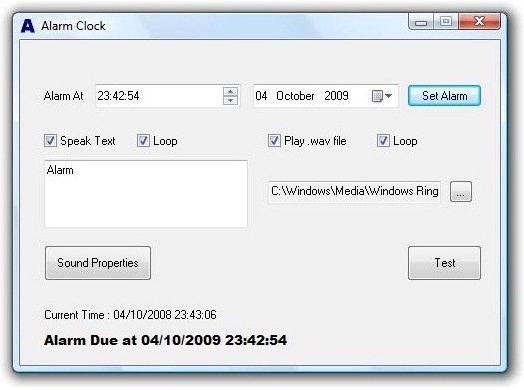
Alarm Clock Screen on Windows Vista
Have a look at the Alarm Clock Software as seen on Windows Vista. The look of the
software may look different depdning on your current Windows theme.
|
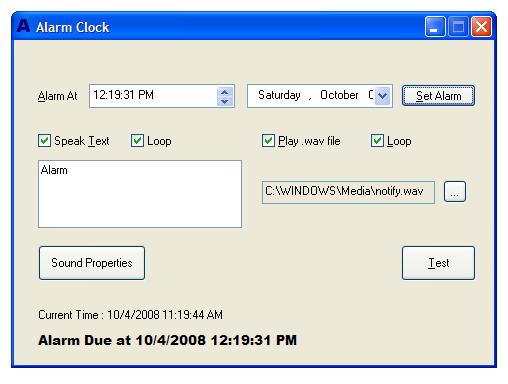
Alarm Clock Screen on Windows XP
Let's have a look at the Alarm Clock as seen on Windows XP. Note that the look of
the Software is really different as compared to Windows Vista. The Alarm Clock Software
is Windows theme compliant and the main window of the application would look according
to your Windows theme.
|
Download Alarm Clock Utility
Download Trial
Version of Alarm Clock Software now for your Windows PC. The Free to try version
of the Alarm Clock would work without any nagging popups or reminders, however at
the end of trial, it would ask you to Register your copy by paying in $5.00 only.
Step by Step Guide to Setup Alarm
Given below step by step procedure talks about how to Setup Alarm with the configurable
options available. The Steps also outline how to test the Alarm. Although the steps
may sound large in number, once you use it, the next time setting up an alarm would
require you really less number of steps to perform.
- Install Alarm Clock Utility using the setup.
- Launch Alarm Clock using Desktop Shortcut or from the finish page of the setup.
- To Preview Alarm, click on the Test button.
- Now select the required options of playing text to speech or playing .wav file.
- Check the Volume of the Computer and make sure it is sufficient.
-
When you are done with making required changes to the alarm / alert options, do
a test alarm by clicking on the Set Alarm button.
-
In case current system time is greater than the time displayed by the controls on
the dialog box, an alarm will be setup after 30 seconds.
-
Note the text at the bottom of the screen which displays useful information about
the alarm.
Alarm Clock Registration
By clicking on the button below, you can start the process of registering your copy of the Alarm Clock Software.
You can pay by Credit / Debit Card or even by PayPal. Register Alarm Clock Utility now and get all upgrades for Alarm Clock at no extra cost by paying in only $5.00.
Navigate to Home of Alarm Clock